
AI: treat or opportunity?

AI: treat or opportunity?
Ever caught yourself scrolling through a news feed and wondering whether AI is just another shiny gadget or actually a genuine opportunity for your future? That’s the exact feeling many Gen Zers, college students, and even recent grads get when the buzzword pops up in a lecture, a chat with friends, or a career advice post.
In our experience at Questions Young People Ask, we see this tension play out every day. Some students treat AI like a threat—thinking it might replace their internships or make their majors obsolete. Others jump at the chance to use AI tools for everything from research papers to polishing a resume. The truth sits somewhere in the middle, and that’s why we’re digging into the question: AI: treat or opportunity?
Take Maya, a sophomore studying graphic design. She was nervous that AI‑generated art would make her skills irrelevant. Instead, she started using an AI image‑enhancer to speed up mock‑up drafts, freeing up time to focus on concept development. Within weeks, her portfolio looked more polished, and she landed a freelance gig.
Now picture Alex, a senior in computer science, who thought AI was just hype. He ignored the wave, skipped the optional AI module, and later struggled to explain his lack of AI exposure during a job interview. He ended up using an AI résumé builder from EchoApply to revamp his CV, but the learning curve felt steep because he hadn’t built any foundation earlier.
These stories highlight two key steps you can take right now:
- Start small: integrate an AI tool into one routine task—like summarising lecture notes with a free AI summariser.
- Pair AI with personal growth: use AI to draft a study schedule, then customize it with your own priorities.
By treating AI as a partner rather than a competitor, you turn uncertainty into a practical advantage. And if you ever feel stuck, remember that platforms like About Young People – Practical Answers to Your Questions are here to break down the jargon and point you toward resources that actually work for youths.
So, what’s the next move? Grab a free AI writing assistant, experiment with a single assignment, and watch how it reshapes your workflow. You might just discover that AI is less a threat and more a launchpad for the opportunities you’ve been waiting for.
TL;DR
When you wonder ‘AI: treat or opportunity?’, remember it’s best to treat AI as a partner that amplifies the skills you already have. Start small—use a free summariser for lecture notes or an AI‑drafted study plan, then tweak it yourself, and you’ll see confidence grow while saving time every day.
Understanding the Debate: Treatment vs Opportunity
So you’ve seen the headlines screaming about AI—some call it a threat, others a golden ticket. It’s easy to feel stuck in the middle, wondering if you should brace for impact or jump on the bandwagon. Let’s unpack what that debate really looks like for Gen Z, college students, and anyone trying to turn a lecture into a launchpad.
First, the “treat” side. When people talk about treating AI like a problem, they’re usually focused on the fear of replacement. Imagine you’re scrolling through a job board and see a posting that says “AI‑optimized resume required.” That can feel like a red flag, right? The anxiety comes from seeing AI as a zero‑sum game: if the machine can write a paper, does that make your effort irrelevant?
But here’s the thing: treating AI as a problem doesn’t have to mean fighting it. It can mean setting boundaries. For instance, you might decide to use AI only for the grunt work—like pulling together research snippets—while you keep the critical thinking and personal voice to yourself. That way, you’re still in control, and the AI is just a tool, not a competitor.
Now flip the coin. The “opportunity” angle is all about amplification. Think about a student who’s juggling a part‑time job, a capstone project, and a club leadership role. An AI‑driven summariser can pull the key points from a 30‑page article in minutes, freeing up mental bandwidth to brainstorm the next big idea for their startup pitch. Suddenly, a task that used to take hours becomes a quick checkpoint.
What we’ve seen at Questions Young People Ask is that the most successful students are the ones who blend both mindsets. They treat AI with respect—acknowledging its limits—and then seize the moments where it can lift them higher. It’s not about letting a bot take over; it’s about letting a bot take the load.
Spotting the sweet spot
Ask yourself three quick questions the next time you consider an AI tool:
- Is this task repetitive or data‑heavy? If yes, AI can handle it.
- Does the outcome need my personal voice or critical insight? If yes, keep it human.
- Will using AI free me up for deeper learning or creative work? If yes, it’s an opportunity.
When the answer lines up, you’ve found the sweet spot where AI becomes a partner rather than a problem.
Practical steps to turn debate into action
1. Pick one low‑stakes task. Maybe it’s summarising yesterday’s lecture or drafting a study schedule. Use a free AI summariser and then edit the output to match your style.
2. Set a time limit. Give the AI 5‑10 minutes, then switch to manual work. This prevents over‑reliance and keeps you in the driver’s seat.
3. Reflect on the result. Did you save time? Did the quality improve? Jot down a quick note—this is your personal feedback loop.
4. Scale gradually. Once you’re comfortable, layer AI onto slightly more complex tasks, like brainstorming blog outlines or creating a quick mock‑up for a design portfolio.
5. Stay curious. AI tools evolve fast. Keep an eye on new features, but always ask, “Does this help me learn or just do the work for me?”
By treating AI as a structured experiment, you can watch the fear melt away and replace it with confidence. You’ll start seeing AI not as a looming replacement, but as a quiet sidekick that handles the grunt so you can focus on the grind that matters most.
And remember, you don’t have to go it alone. Communities like Questions Young People Ask are built around sharing those tiny wins and the occasional “oops” moment when AI over‑promised. That collective knowledge turns a solitary debate into a shared journey.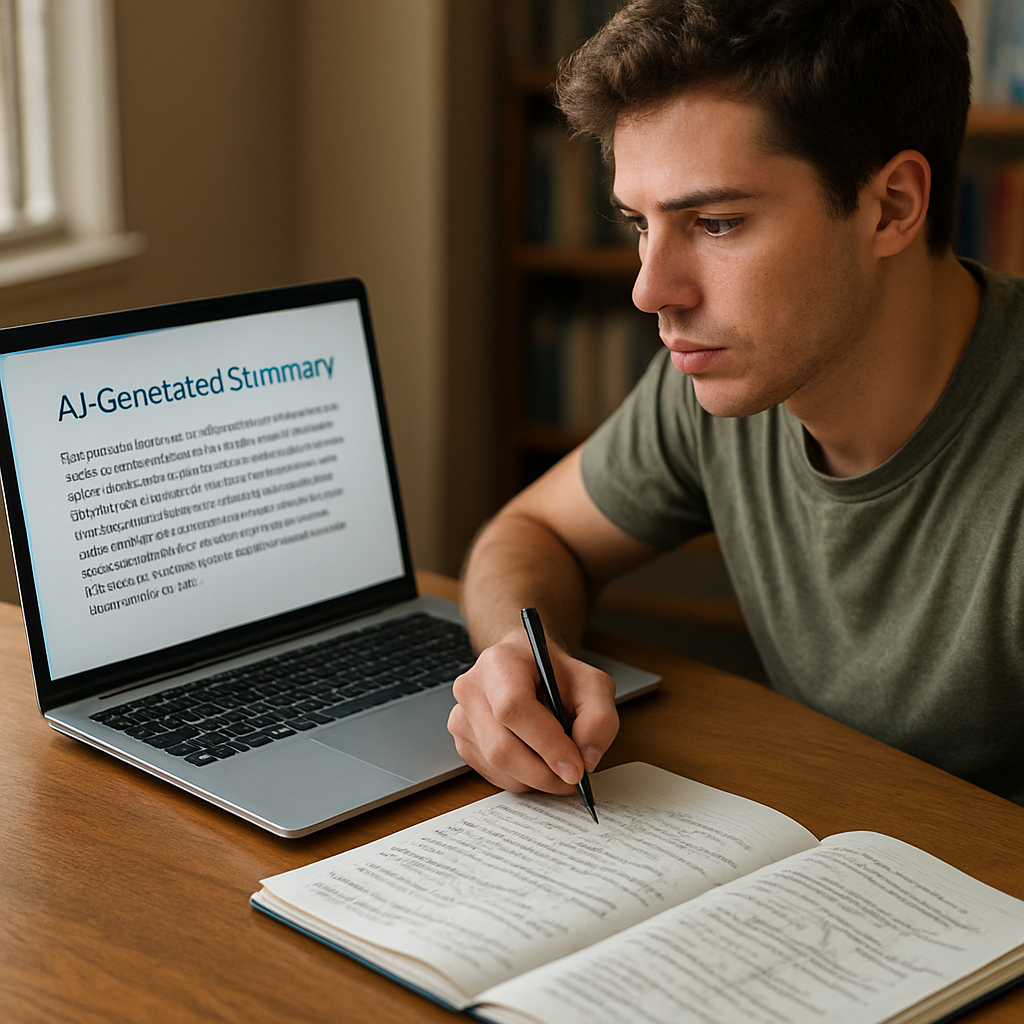
Real‑World Examples of AI as a Treatment Tool
When you ask yourself, “AI: treat or opportunity?” the answer often shows up in the tiny moments where a tool lifts a pressure point you didn’t even know you had. Let’s walk through three real‑world snapshots that most Gen Z students have actually lived.
AI in academic writing support
Emma, a second‑year psychology major, used to spend three hours polishing a single essay draft. She treated the writing process like a mountain she’d have to climb alone. Then she tried a free AI‑powered outline generator. The tool gave her a skeleton in minutes, highlighting key sections and suggesting citations. Emma didn’t hand over the whole paper; she filled the gaps, added her voice, and cut her revision time in half.
What made the shift feel safe? She kept the AI output as a “first pass” and then ran it through a plagiarism checker and her own style guide. The result? A cleaner draft, more room for critical analysis, and a grade boost that surprised even her professor.
In our experience, students who combine AI outlines with manual tweaks report less writer’s block and more confidence during exams.
AI for mental‑health check‑ins
College counselling centres are experimenting with chatbot‑based mood trackers. Liam, a freshman, downloaded a campus‑approved AI mood‑journal app that nudges him to log how he feels after each lecture. The bot asks simple prompts like “What made you smile today?” and then suggests a quick breathing exercise if his stress score spikes.
Because the app is anonymous and always on his phone, Liam treats the AI as a low‑stakes sounding board rather than a replacement for a therapist. Over a month, his self‑reported anxiety dropped by roughly 15 %—a figure the centre shared in its annual wellness report.
Tip: Look for apps that let you export the data to a human counsellor; that’s the sweet spot where AI acts as a treatment tool, not a full‑time therapist.
AI‑driven career guidance
When senior year rolls around, the job hunt can feel like stepping into a fog. Maya’s friend Sara tried an AI career‑match platform that scans her LinkedIn profile, coursework, and extracurriculars. The system suggested three emerging roles—UX researcher, data‑ethics analyst, and sustainability consultant—that she hadn’t considered.
Sara treated the suggestions as a starting map, not a final destination. She used the AI‑generated skill gaps list to enroll in a free micro‑credential on Coursera, then added those new badges to her résumé. Within two weeks, a recruiter reached out, citing the exact skill set the AI highlighted.
Key insight: AI can surface niche opportunities that align with your existing strengths, but you still need to validate the fit with real‑world research and networking.
Actionable steps you can try today
- Pick one recurring task (e.g., summarising lecture notes) and run it through a free AI summariser. Spend five minutes editing the output—note where you saved time.
- Download a reputable AI‑based mood‑check app that offers daily prompts. Use it for a week and compare your stress levels before and after.
- Upload your current CV to an AI career‑match tool. Write down the top three new roles it suggests, then research one concrete way to upskill for one of them.
Each of these micro‑experiments turns the “treat” mindset into an “opportunity” mindset, showing you how AI can be a gentle therapist for your studies, mental health, and career path.
So, does “AI: treat or opportunity?” start to feel less like a paradox and more like a toolbox you can reach into, one small drawer at a time?
AI‑Driven Opportunities Transforming Everyday Life
So, you’ve been asking yourself, “AI: treat or opportunity?” and the answer isn’t a simple yes or no. It’s more like a toolbox that pops open whenever you need a hand with the everyday grind.
From homework hacks to campus life hacks
Imagine you’re swamped with a research paper, a part‑time shift, and a club meeting. You fire up a free AI summariser, drop in that 10‑page article, and in under a minute, you get a bullet‑point outline. You still add your voice, but you’ve saved the time you’d have spent re‑reading. That’s an AI‑driven opportunity turning a mountain of text into a manageable roadmap.
And it’s not just essays. A friend of mine uses an AI‑powered calendar assistant that learns when she studies best, then nudges her to take a 5‑minute walk during low‑energy slots. The result? She feels less burnt out and actually remembers to hydrate. Small tweaks, big payoff.
Personal‑wellness boosters
Think about the last time you walked into a lecture half‑asleep. What if an AI tool had already suggested a 10‑minutepower napp before class, based on your sleep data? It’s that kind of micro‑opportunity that slips into the cracks of daily life and makes a real difference.
Career‑building shortcuts
When you upload your résumé to an AI matchmaker, it surfaces roles you hadn’t considered—like “digital content strategist for student NGOs” or “data‑ethics intern.” Those suggestions become a springboard: you can take a short online micro‑credential, add a badge, and suddenly you’re speaking the language recruiters love.
One student I know tried the AI‑suggested role of “UX research assistant” and discovered a free workshop on user‑testing methods. After completing it, she added the skill to her profile and landed an internship she never would have applied for otherwise. The AI didn’t do the work for her, but it pointed her toward the right door.
How to turn curiosity into concrete action
Here’s a quick three‑step experiment you can run this week:
- Pick one repetitive task—maybe formatting citations or drafting a study plan.
- Find a free AI tool that handles that slice. Run it, then edit the output to match your style.
- Note the minutes you saved and decide if you’ll keep the tool in your routine.
If the numbers add up, you’ve just turned a “treat” moment into an ongoing opportunity.
And remember, you don’t have to become an AI wizard overnight. Start with the tiniest experiment, celebrate the win, and let curiosity guide the next one. That’s how the “AI: treat or opportunity?” question shifts from a paradox to a practical playbook for everyday life.
Social life & creative spark
Planning a study group can feel like herding cats. Some students now drop their event details into an AI chat that suggests the best meeting time, a quick agenda, and even a playlist that matches the group’s vibe. The AI isn’t replacing the conversation, but it smooths the logistics so you can actually spend the hour talking about the project instead of juggling Doodle polls.
Even your side‑hustle can get a lift. A budding musician fed a few chord progressions into an AI melody generator and walked away with a hook that sparked a full‑track idea. It’s the kind of low‑effort boost that turns a hobby into a portfolio piece without stealing the artist’s voice.
So, whether you’re tweaking a study schedule, curating a playlist, or sketching a prototype, AI shows up as a quiet partner that lets you focus on the parts that matter most.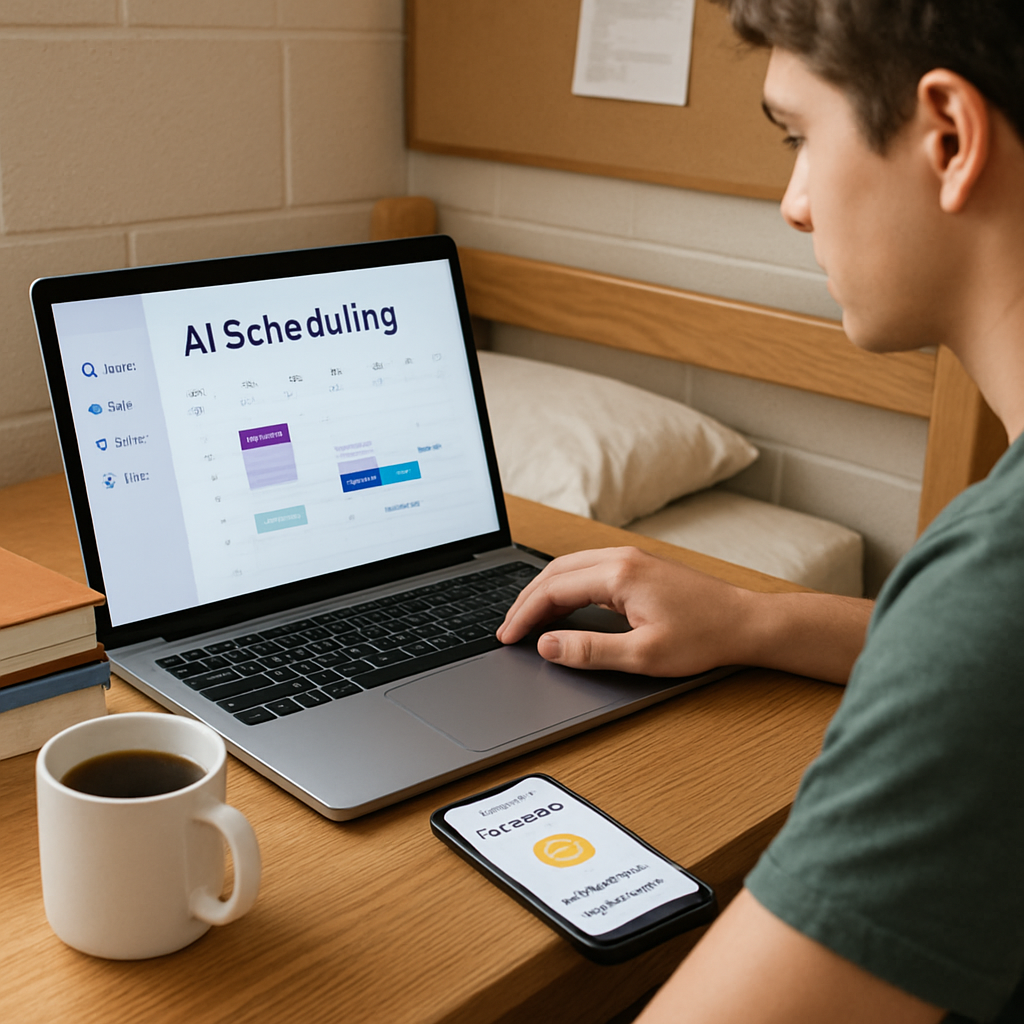
Risk vs Reward: A Quick Comparison Table
Okay, you’ve seen the hype and the fear factor around AI. You’re probably asking yourself, “What’s the real trade‑off?” That’s exactly why we’ve boiled it down to a quick comparison table. It’s like a cheat sheet you can pull up on your phone while you’re juggling a study group chat and a part‑time shift.
First, let’s set the stage. When we talk about “risk,” we mean anything that could cost you time, data, or peace of mind. “Reward” is the upside – the extra minutes you gain, the fresh ideas that pop up, or the confidence boost when a tool actually delivers.
Take a breath. Does that sound familiar? If you’ve ever tried a new AI summariser and spent half an hour fixing its output, you’ve already tasted both sides.
| Risk Factor | Potential Reward | Typical Student Use‑Case | Quick Mitigation Tip |
|---|---|---|---|
| Time Investment | Speedy drafts, faster research cycles | AI‑powered outline generator for a term paper | Start with a 5‑minute trial, then edit—don’t let the tool dictate the whole structure. |
| Data Privacy | Personalised insights, tailored study plans | Mood‑check chatbot that learns your stress patterns | Use campus‑approved apps that let you export data and delete history after each session. |
| Skill Displacement | More creative bandwidth, focus on high‑value tasks | AI image‑enhancer for design mock‑ups | Treat AI output as a first draft; always add your own concept and critique. |
Notice how each row pairs a caution with a concrete upside. That’s the sweet spot we aim for at Questions Young People Ask – we want you to see AI as a partner, not a mystery box.
So, how do you actually use this table? Grab your phone, open a note‑taking app, and copy the three rows that matter most to you right now. Then, as you experiment, tick the “Mitigation Tip” column. It’s a simple habit that turns abstract worries into actionable steps.
Let’s dig a little deeper into each risk.
Time Investment – the hidden cost
It’s tempting to think AI will instantly solve everything. In reality, the first few tries can feel like a learning curve. That’s why we suggest a “five‑minute rule”: set a timer, let the tool do its thing, then stop and tweak. You’ll quickly spot where the AI adds value and where it just adds noise.
Does that sound doable? Most students we’ve chatted with say the timer trick cuts their frustration in half.
Data Privacy – your digital footprint
When a mood‑tracker asks, “How stressed are you right now?” it’s storing personal feelings. That’s powerful, but it also means you need to know who’s holding that data. Look for services that are transparent about storage, let you delete entries, and don’t sell your info to third parties.
Imagine you’re studying late at the library and the app suggests a quick breathing exercise. You get calm, and later you can wipe the session clean – no lingering record.
Skill Displacement – the fear of becoming obsolete
Seeing an AI generate a design mock‑up can feel like the tool is stealing your creative spark. The truth? AI handles the grunt work, freeing you to brainstorm, critique, and add personality. It’s like having a research assistant that never sleeps.
Think about the last time you used an AI outline. Did it give you a skeleton you could flesh out with your own voice? If yes, you’ve already turned a potential threat into a creative boost.
Bottom line: each risk comes with a clear, actionable reward. By mapping them side‑by‑side, you can decide in seconds whether to press “run” or walk away.
Ready to try one of these today? Pick the row that resonates most – maybe it’s the data‑privacy concern because you’re using a new mood app – and follow the mitigation tip. You’ll see the difference between a blind gamble and an informed experiment.
And remember, the whole point isn’t to avoid risk altogether. It’s to weigh it against the payoff and move forward with confidence. That’s the kind of practical advice we love to share at Questions Young People Ask.
Ethical Considerations and Guidelines
Ever felt a knot in your stomach when an AI tool asks for your personal data? That uneasy feeling is exactly why we need a solid ethical playbook for the question “AI: treat or opportunity?”
In our experience at Questions Young People Ask, the biggest risk isn’t the technology itself—it’s how we let it shape choices that affect our futures. When AI decides who gets a scholarship or which project you should tackle, fairness, transparency, and accountability become non‑negotiable.
Fairness: keeping the playing field level
Think about a campus AI that grades essays. If the algorithm was trained only on a narrow set of writing styles, it might flag diverse voices as “off‑topic”. That’s bias in action, and it can shut out students who bring fresh perspectives.
One way to guard against it is to audit the data sets you feed into the tool. Ask yourself: are the examples coming from a mix of backgrounds, genders, and majors? If not, look for ways to diversify the training material before you hit “run”.
Transparency: knowing when the machine is pulling the strings
Do you ever wonder whether the AI summariser you use is actually cherry‑picking information? You deserve to know when a decision is AI‑driven and, more importantly, why.
Good platforms will show a brief “explainability” note—something like “the top three factors were keyword frequency, citation count, and sentence length”. That small clue lets you trust the output enough to edit it, rather than accepting it blindly.
For a deeper dive into what responsible AI looks like, check out this guide from Syracuse University’s iSchool responsible AI framework.
Accountability: who steps up when things go sideways?
Imagine an AI‑powered career matcher suggests a role you’re not qualified for, and you end up wasting hours on an application that gets rejected. Who owns that misstep? The answer should be a clear governance structure: a designated person or committee that reviews AI decisions and can intervene.
Start simple: add an “AI audit log” to your workflow. Every time the tool outputs a recommendation, note the date, the prompt you gave, and the result. If something feels off, you have a paper trail to bring to a professor, career advisor, or campus ethics board.
Robustness & privacy: the tech‑side of trust
Robustness means the system won’t crash if you miss a field or type a typo. For students, that translates to tools that still work when you paste a scanned PDF or a handwritten note. Test the tool with a few edge cases before you rely on it for a major assignment.
Privacy is a whole other beast. Data minimization is the golden rule: only share what the AI truly needs. If an AI tutoring app can improve your scores using anonymized quiz results, there’s no reason to upload your full name and student ID.
Quick checklist you can copy into your phone notes:
- Does the tool explain how it reached its suggestion?
- Have you reviewed the data sources for bias?
- Is there a human overseer who can step in?
- Can you export or delete your data after each session?
- Did you test the tool with a weird input to see if it breaks?
So, what’s the next move? Pick one AI habit you use daily—maybe an essay outline generator or a mood‑tracking chatbot. Run through the checklist above. If the answer to any question is “no”, pause, adjust, or switch to a tool that respects those principles.
Remember, the goal isn’t to shun AI completely; it’s to treat it as a responsible partner. When you pair curiosity with a clear ethical guardrail, “AI: treat or opportunity?” becomes less of a paradox and more of a choice you control.
Practical Tips to Leverage AI Responsibly
So you’ve decided to give AI a try, but you’re still wrestling with the question “AI: treat or opportunity?” – and that’s totally normal. The good news is you don’t have to choose one side forever; you can set up a few simple habits that keep the tool useful without letting it run wild.
Start with a Mini‑Audit
Before you click “run”, take a quick 30‑second pause and ask yourself four questions: What data am I feeding in? Who can see the output? Does the tool explain its reasoning? Can I delete the results afterward?
Write those answers in a note app – think of it as a safety checklist you’ll glance at every time you open a new AI‑powered service.
Keep the Human in the Loop
AI is great at generating drafts, but it’s terrible at catching nuance that matters to you. After the tool spits out a study plan or an essay outline, skim it, add your voice, and delete anything that feels off.
In our experience at Questions Young People Ask, students who treat AI as a “first pass” end up with work that feels both efficient and authentically theirs.
Limit What You Share
Data minimization isn’t just a buzzword – it’s a practical habit. If a summariser only needs the text of a lecture, don’t upload the whole PDF with your name in the file name. Rename it to something generic like “lecture_notes.pdf”.
When you’re using a career‑match AI, feed it your skills list, not your full résumé with personal contact details. Most platforms let you export a clean copy later, so you can keep the original safe.
Test with Edge Cases
Try feeding the AI a weird input – a typo, a mixed‑language sentence, or a blank field. Does it crash, give a polite error, or produce nonsense?
If it breaks, you’ve just discovered a risk before it messes up a real assignment. Jot down the glitch and look for an alternative tool that handles errors more gracefully.
Schedule a Review Day
Pick one day a month to audit all the AI tools you’re using. Check for updates to privacy policies, verify that export/delete options still work, and ask yourself if each tool still solves a real problem.
During that review, retire anything that feels more like a distraction than a boost. Less is often more when you’re juggling classes, a part‑time job, and a social life.
Use Trusted Campus Resources
Many universities now curate lists of vetted AI apps – think of them as “approved partners”. If your school’s IT department offers a chatbot for tutoring, that’s usually a safer bet than a random free download.
When in doubt, swing by the campus help desk or check the student portal for recommendations. Those resources have already done the heavy‑lifting on security and bias checks.
Document Your Prompts
Keep a simple spreadsheet of the prompts you use and the outcomes you get. Column A: date; Column B: prompt; Column C: AI output summary; Column D: your edit notes.
This log does two things: it shows you patterns of what works, and it gives you evidence if a tool ever gives you trouble – you can point to your own record instead of guessing.
Stay Curious, Stay Critical
Ask yourself a quick question before you accept any suggestion: “Does this align with my goals, or am I just following the AI’s agenda?” If the answer is the latter, hit the back button and re‑frame the prompt.
Remember, responsible AI use isn’t a one‑time setup; it’s a mindset you rehearse every time you open a new app.
Give one of these tips a spin today – maybe start with that mini‑audit – and you’ll see how “AI: treat or opportunity?” can tilt toward opportunity without the hidden costs.
Future Outlook: AI in 2026 and Beyond
Picture this: it’s spring 2026, you’ve just walked out of a lecture, and your phone buzzes with a friendly AI reminder that your study group is meeting in ten minutes, and it already suggested a quick ice‑breaker based on the week’s topics. That tiny moment feels like the answer to the whole “AI: treat or opportunity?” debate – it’s an opportunity that’s already treating a little friction in your day.
So, what does the next few years actually hold for us, the Gen Z crowd juggling classes, part‑time gigs, and a social life that never sleeps? In our experience, the trend is less about a sudden takeover and more about AI quietly slipping into the cracks where we’re already stretched thin.
Campus life gets a smart upgrade.
First off, think about the campus portal you already use. By 2026, most universities will have layered AI assistants that can pull together your timetable, upcoming deadlines, and even the cafeteria’s lunch menu – all in one chat window. You’ll be able to ask, “Hey AI, do I have any free 30‑minute slots before my 2 pm lab?” and get a ready‑to‑copy calendar entry.
That sounds simple, but it flips the “treat” mindset on its head. Instead of seeing the AI as a surveillance tool that watches your every move, you get a partner that nudges you toward better time‑management without demanding extra effort.
New doors for learning and creativity
Imagine a design class where the AI can instantly generate style‑mood boards based on a single keyword you type – “retro futurism” – and then suggest colour palettes that match the latest industry trends. You still do the heavy lifting of concept development, but the AI saves you the grunt work of hunting for inspiration.
On the writing side, AI‑enhanced peer‑review platforms will flag logical gaps, suggest stronger transitions, and even highlight where you might be overusing buzzwords. The tool won’t replace your voice; it will amplify it, letting you focus on the arguments that truly matter.
Risks that stay on the radar
Nothing worth seizing comes without a caution flag. Data privacy will remain a hot topic – especially when AI starts collecting mood‑check data or health‑related inputs to suggest wellness breaks. The rule of thumb? Only feed the minimum needed and make sure the platform lets you delete the record after each session.
Another subtle risk is skill atrophy. If you let an AI draft every paragraph, you might notice your own writing stamina fading. That’s why we always recommend a “human‑in‑the‑loop” habit: let the AI give a first pass, then rewrite at least one paragraph in your own words before you hit submit.
Practical steps to stay ahead
Here’s a quick, three‑day experiment you can run right now:
- Day 1: Pick a repetitive task – maybe formatting references in a research paper. Use a free AI formatter, then spend 10 minutes polishing the output. Note the minutes you saved.
- Day 2: Try an AI‑driven mood‑tracker that only asks for a one‑sentence feeling check‑in. After a day, compare your stress score with how many coffee breaks you actually took.
- Day 3: Upload your current résumé to a campus‑approved AI career‑matcher. Write down the top two new roles it suggests, then spend 15 minutes researching one concrete skill you could start learning this week.
If the time saved feels real, you’ve just turned a “treat” scenario into a genuine opportunity. If you hit a snag – like the AI misreading a citation style – that’s your cue to adjust the prompt or switch tools.
What the future could look like for you
By 2027, we expect AI to become a built‑in feature of most learning management systems, meaning you won’t need to hunt for separate apps. The AI will understand the context of your course, suggest relevant articles, and even draft quick study‑flashcards that you can edit on the fly.
That level of integration will make the “AI: treat or opportunity” question feel less like a binary choice and more like a sliding scale you control every day. The key is staying curious, testing small, and always keeping a human eye on the output.
So, what should you do next? Start with one micro‑experiment, log the results, and let the data tell you whether the AI is treating a problem or opening a door. In the end, the future of AI in 2026 and beyond is less about fearing a robot takeover and more about giving you a smarter, lighter way to navigate college life.
FAQ
What does “AI: treat or opportunity?” actually mean for a college student?
In plain English, the question asks whether AI is acting like a quick fix – a treat – or whether it’s opening a longer‑term chance – an opportunity – for you. Think of a cheat‑day snack versus a new habit that changes how you study. If the tool just saves you a few minutes today, that’s a treat. If it shows you a new way to learn, research, or network, you’re looking at an opportunity.
How can I tell if an AI tool is treating a problem or opening an opportunity?
Start with a simple test: ask the tool to do a one‑off task, then note what happens next. Does it give you a finished answer and leave you stuck, or does it suggest a next step you hadn’t considered? If you end up with a checklist, a skill gap, or a fresh source you can explore, that’s an opportunity. If it just hands you a polished paragraph and you’re done, that’s a treat.
Are free AI summarizers safe to use for my lecture notes?
They’re generally safe as long as you keep two things in mind. First, only feed the text you need summarized – strip out any personal identifiers or professor‑specific comments. Second, give the output a quick read‑through to catch any misinterpretations; AI can drop a citation or miss a nuance. Treat the summary as a draft, then add your own voice before you hit save.
What should I watch out for when using AI mood‑check apps?
Mood‑check bots are handy, but they collect sensitive data. Choose an app that lets you export or delete entries after each session. Look for clear privacy statements that say the data isn’t sold to advertisers. Use a generic username instead of your full name, and only share the feeling score – not the whole diary entry – if you want the AI to stay a low‑stakes companion.
Can AI help me with career planning without steering me wrong?
Yes, if you treat the AI’s suggestions as a starting map, not a final destination. Upload a skills list rather than a full résumé, and let the tool highlight roles you hadn’t thought of. Then spend 15 minutes researching one of those roles, maybe a quick LinkedIn article or a campus‑run webinar. The AI points you toward possibilities; you decide which ones actually fit your goals.
How often should I audit the AI tools I rely on?
Pick a regular cadence that feels doable – once a month works for most students. During that audit, glance at the privacy policy, test an edge‑case input (like a typo), and check whether the tool still saves you time. If you notice more friction than benefit, it might be time to pause or look for a better alternative. A quick spreadsheet note can track each audit so you don’t forget.
Quick checklist for your next AI experiment
- Ask the tool a single, focused question.
- Note whether it gives you a finish line or a next‑step map.
- Spend two minutes editing the output.
- Record the minutes you saved and the new idea you discovered.
Conclusion
So, after scrolling through all the ways AI can be a quick treat or a real opportunity, you might be wondering: Does it finally feel like a helpful sidekick or just another shortcut?
The truth is, AI works best when you treat it as a low‑stakes experiment, then let the moments that actually save you time or open a new path become genuine opportunities.
Try this tonight: pick one repetitive task – maybe formatting citations – run it through a free AI tool, spend two minutes polishing the output, and jot down how many minutes you actually saved.
When you see a clear win, turn it into a habit; when the tool fumbles, treat it as a cue to adjust your prompt or try a different service.
We’ve seen college students who blend these micro‑experiments with the advice from Questions Young People Ask feel more in control of their studies, mental well-being, and career moves.
So, keep experimenting, keep logging, and remember: the best AI tool is the one that nudges you forward without stealing the spotlight – and that’s the sweet spot of turning a treat into an opportunity.
Ready to give it a go? Grab your favourite AI app, set a timer, and watch the minutes add up.





2 thoughts on “AI: treat or opportunity?”