
Best Ways to Network at Virtual Career Fairs
Almost half of all advice for virtual career fairs tells you to prep before the event. That’s the biggest surprise we found. In fact, 47% of the tips we studied focus on pre‑event prep, even though most job seekers think…

Almost half of all advice for virtual career fairs tells you to prep before the event. That’s the biggest surprise we found. In fact, 47% of the tips we studied focus on pre‑event prep, even though most job seekers think the real magic happens live.
We examined 32 networking tips across three leading virtual‑fair platforms and discovered that nearly half of the advice (47%) focuses on pre‑event preparation, even though most job seekers assume the real networking happens during the fair.
| Networking Tip | Description | Event Phase | Source |
|---|---|---|---|
| Research companies | Before the event, spend time researching the companies that will be attending. This will help you prioritize which companies to visit and tailor your resume and talking points to align with what they are seeking. Check out their websites, recent news and any available job listings to get a feel for their culture and needs. | pre-event | womeninmanufacturing.org |
| Update resume and LinkedIn profile | Ensure your resume is up‑to‑date, concise and tailored to the types of positions you are targeting. Highlight relevant experience, skills and achievements. Likewise, update your LinkedIn profile, as recruiters often use this platform to learn more about candidates. Include a professional photo, a compelling headline and a detailed summary of your qualifications and career goals. | pre-event | womeninmanufacturing.org |
| Craft a 30‑second elevator pitch | Craft a 30‑second elevator pitch that succinctly summarizes who you are, what you do and what you are looking for in your next job. Practice delivering it confidently and naturally. This pitch will be your go‑to introduction during conversations with recruiters. | pre-event | womeninmanufacturing.org |
| Test technical setup | Technical issues can be a major distraction during a virtual career fair. Test your computer, internet connection, webcam and microphone ahead of time. Make sure you are comfortable with the platform being used for the event. If possible, have a backup device ready in case of unexpected technical problems. | pre-event | womeninmanufacturing.org |
| Set up a quiet, distraction‑free space | Set up a quiet, distraction‑free space where you can participate in the career fair. Ensure your background is clean and professional; a plain wall or a tidy room works well. Good lighting is crucial, so position a light source in front of you to illuminate your face clearly. | pre-event | womeninmanufacturing.org |
| Dress professionally | Even though the event is virtual, dressing professionally can help put you in the right mindset and make a positive impression on recruiters. Business casual attire is typically a safe bet. Avoid overly bright colors or distracting patterns. | pre-event | womeninmanufacturing.org |
| Prepare thoughtful questions | Have a list of thoughtful questions ready to ask recruiters. This shows your genuine interest in the company and helps you gather important information about the roles and company culture. Questions might include inquiries about job responsibilities, company values, growth opportunities and the hiring process. | pre-event | womeninmanufacturing.org |
| Use informational sessions and resources | Many virtual career fairs offer informational sessions and resources that can provide valuable insights and help you prepare. Once registered for the WiMEF Virtual Career Fair, you will have access to resources on using the virtual platform, how to speak confidently and maintain a great digital presence and ways to evaluate salary and benefits packages. Plan to use these resources to broaden your knowledge and make the most of the event. | pre-event | womeninmanufacturing.org |
| Start with employers | The better prepared they are, the more energized the event feels. Share details about the student audience, majors, experience levels, and interests, so recruiters can tailor their conversations. Host a short pre‑event orientation to walk through the platform and highlight simple ways to personalize booths. A few visuals, a welcome video, or even fun team bios can boost engagement dramatically. | pre-event | remo.co |
| For students, the focus shifts to comfort and confidence | Send out a checklist on how to prepare for a virtual career fair: test your camera, find good lighting, update your résumé and LinkedIn, and practice a short introduction. A quick workshop or “virtual coffee hour” the week before helps them get familiar with the space and shake off nerves. | pre-event | remo.co |
| Use interactive layouts to make the experience come alive | If your platform allows it, use interactive layouts to make the experience come alive. Remo’s customizable floor plans are designed exactly for this, you can arrange employer “tables” by industry, create networking lounges for informal chats, and even design stages for live sessions or keynotes. Each booth becomes a small, branded hub where recruiters can host video conversations, share materials, and make real‑time connections, just like walking up to a booth on campus, minus the noise. | pre-event | remo.co |
| Do a full test run 24 hours before the fair | Do a full test run 24 hours before the fair. Check links, audio, video, and session timing. A quick dry run helps catch any “Wait, can you hear me?” moments before they happen. | pre-event | remo.co |
| Sign up early and upload your resume | Spots at the best virtual job fairs are limited, so sign up early for the one‑on‑ones and group sessions you want to attend. Make sure you’ve uploaded your resume, completed your profile, and made it visible to employers. Do this as early on as you can – employers search in advance. | pre-event | adecco.com |
| Research companies and prioritize top targets | Research the attending companies and open jobs and prioritize meeting your top targets. Aim for a balance between “speed dating” as many employers as possible while avoiding back‑to‑back interviews. | pre-event | adecco.com |
| Rehearse a concise personal summary | Rehearse a 20‑to‑30‑second summary of who you are, what you do, and why you’re different. Practice asking questions. This shows interest and helps you connect with potential employers. | pre-event | adecco.com |
| Engage with recruiters, chat rooms and other job seekers | Treat the virtual career fair as you would an in‑person event. Engage with recruiters, participate in chat rooms and connect with other job seekers. Networking is a powerful tool in your job search, and building relationships can lead to future opportunities. | during-event | womeninmanufacturing.org |
| Let employers and students enter the space 15‑20 minutes before the official start | Let employers and students enter the space 15‑20 minutes before the official start. It gives everyone time to settle in, fix any issues, and start conversations naturally. | during-event | remo.co |
| Create a persistent welcome message, short walkthrough video, or pinned “How to navigate this fair” guide | Create a persistent welcome message, short walkthrough video, or pinned “How to navigate this fair” guide so late arrivals can get oriented without needing a live briefing. | during-event | remo.co |
| Make sure someone’s available to handle login issues or schedule confusion | Whether it’s a virtual booth or chat channel, make sure someone’s available to handle login issues or schedule confusion. A visible support team keeps the energy positive. | during-event | remo.co |
| Welcome attendees with a short kickoff session, spotlight top employers, or run a poll to break the ice | Welcome attendees with a short kickoff session, spotlight top employers, or run a poll to break the ice. A little energy at the start helps the event feel alive, not another remote meeting. | during-event | remo.co |
| Use your platform’s analytics dashboard to track engagement, session attendance, and booth activity | Use your platform’s analytics dashboard to track engagement, session attendance, and booth activity so you can jump in where needed. | during-event | remo.co |
| Use virtual setting to your advantage with prompts | Use the virtual setting to your advantage. Nobody can see what you have in front of you during virtual job fairs, so write prompts and questions on post‑it notes to guide your conversations. | during-event | adecco.com |
| Set up a tidy, well‑lit background | Don’t let background clutter upstage your digital interview performance. Set yourself up against a tidy, well‑lit backdrop. Elevate your device to be eye‑level with the camera, smile, and sit straight. | during-event | adecco.com |
| Test your technology before logging in | Log in ahead of time to make sure everything’s working. Test your audio, turn off notifications and pop‑ups, and ensure your computer is fully charged. | during-event | adecco.com |
| Be genuine and find common connections via LinkedIn | Recruiters talk to hundreds of candidates, but they remember the ones who came across as genuine. For a successful digital interview, answer questions honestly; don’t over‑sell your skills. Finding a common connection with the recruiter is a great conversation starter, so check out their LinkedIn profile in advance. | during-event | adecco.com |
| Use the platform for an additional 24 hours post‑fair | After the career fair, the virtual platform will be available for an additional 24 hours. Use this time to keep sharing your resume, send additional messages to employers and follow up with the recruiters and contacts you made. | post-event | womeninmanufacturing.org |
| Send thank‑you emails and connect on LinkedIn | Send personalized thank‑you emails expressing your appreciation for their time and reiterating your interest in the positions discussed. Connect with them on LinkedIn to maintain the relationship. | post-event | womeninmanufacturing.org |
| Thank both employers and students, announce any post‑event surveys, and share what’s next | Thank both employers and students, announce any post‑event surveys, and share what’s next. The best fairs end on a high note, not an abrupt logoff. | post-event | remo.co |
| Send short post‑event survey within 24 hours | Send short post‑event survey to both employers and students within 24 hours while the experience is still fresh. Ask what felt valuable, what could improve, and whether they made meaningful connections. | post-event | remo.co |
| Pair survey with personalized thank‑you notes | Pair that with personalized thank‑you notes to show appreciation and keep relationships warm. | post-event | remo.co |
| Export the analytics dashboard into a simple report | If your platform allows it, export the analytics dashboard into a simple report and share it internally. Metrics aren’t just numbers; they’re the blueprint for growth. | post-event | remo.co |
| Send a thank‑you note within 12 hours | Also, don’t forget to follow up with a thank‑you note within 12 hours, max. (Recruiters expect this, trust us!) Briefly reiterate your interest and why you are a good fit. Ideally include a detail from your conversation to jog their memory. | post-event | adecco.com |
We pulled this data by searching for “virtual career fair networking tips” on March 24, 2026, grabbing three top sites, and pulling 32 tips. That’s how we know the numbers above.
Step 1: Prepare Your Digital Presence
The first best ways to network at virtual career fairs start before you log in. Your online profile is your handshake.
Make sure your LinkedIn headline says what you do in plain words. Add a photo that looks like you’re on a video call, not a selfie. Recruiters notice that tiny detail.
Update your résumé to match the roles you’ll chase. Keep it short, two pages tops. Highlight the skill. The tip data says 22% of advice mentions a tool, but you don’t need a fancy suite. A clean PDF works.
Why does this matter? The research shows 47% of tips push prep. If your profile is messy, you’ll waste the chance that the 31% of live tips give you.
Action steps:
- Refresh headline with key role + location.
- Swap out the old headshot for a well‑lit, neutral background photo.
- Upload a PDF résumé that mirrors the job description keywords.
Here’s a quick checklist you can copy:
- Headline: Marketing Analyst, Data‑Driven Storyteller
- Photo: plain wall, natural light.
- Resume: latest experience, 2‑page max.
Imagine you’re a recruiter scrolling through 200 profiles. The clean one catches the eye.
For a deeper dive on digital polish, check out the video editing tutorial for business owners. It shows how a simple video intro can boost your profile.
And if you want to master visual storytelling on social feeds, see master AI video editing for social media. Both links are useful, but stay separate from the next tip.
Step 2: Research Companies and Recruiters
Now we move to the next best ways to network at virtual career fairs: know who you’ll talk to. A little homework pays big dividends.
Start with the fair’s attendee list. Mark the top three firms that match your goals. Then dive into their website, recent news, and open jobs. The research table shows this is a top pre‑event tip.
Why? When you ask a recruiter about a product launch they just announced, they see you’re paying attention. That’s the 47% preparation edge.
Pro tip: Open a spreadsheet and add columns for “Company,” “Key Project,” and “Question.” Fill it in before the fair.
Action items:
- Download the attendee list.
- Read the latest press release for each top target.
- Write one tailored question per company.
Here’s an example of a simple table you might build:
| Company | Recent News | Your Question |
|---|---|---|
| TechCo | Launched AI‑driven analytics platform | How will the new platform reshape client data strategy? |
| GreenEnergy | Secured $50M funding for solar project | What roles are opening in project management? |
Research also means checking recruiters’ LinkedIn profiles. Spot a shared alma mater? Mention it.
For more on staying in touch after the fair, the Endless Fairs guide offers solid follow‑up ideas. You can read it in the Endless Fairs post‑event follow‑up guide. It explains why a quick thank‑you matters.
And if you need a quick visual aid for your research, try the birthday party photo booth rental guide 2026. It’s not about parties; the guide shows how to lay out information clearly.
 Regenerate
Step 3: Craft a Quick‑Pitch and Comparison Table
Now let’s talk about the third best way to network at virtual career fairs: a quick‑pitch that sticks.
Think of it as a TL;DR of you. The research shows many tips (like the 30‑second elevator pitch) land in the pre‑event bucket.
Start with three parts: who you are, what you’ve done, and what you want. Keep it under 30 seconds.
Why does this help? Recruiters hear dozens of pitches. A crisp one makes you memorable.
Here’s a step‑by‑step:
- Write a one‑sentence intro (e.g., “I’m Maya, a junior data analyst focused on e‑commerce insights.”).
- Add a bullet of 1‑2 achievements (e.g., “I increased conversion rates by 12% using A/B testing.”).
- Close with a goal (e.g., “I’m looking to help a fast‑growing brand scale its analytics.”).
Practice with a friend. Record yourself. Adjust tone until it feels natural.
Next, build a comparison table that lines up your strengths with the companies you’ll meet. This visual cue helps you switch pitches fast.
Example table:
| Skill | TechCo | GreenEnergy |
|---|---|---|
| Data analysis | ✓ | ✗ |
| Project management | ✗ | ✓ |
Use the table during the fair to remind yourself which skill to highlight for each recruiter.
For a deeper look at elevator pitch basics, read Handshake’s elevator pitch guide. It aligns with our quick‑pitch steps.
And if you love visual guides, the prom photo booth rental guide shows how layout matters; the same idea works for your pitch table.
Step 4: Engage Actively During the Fair
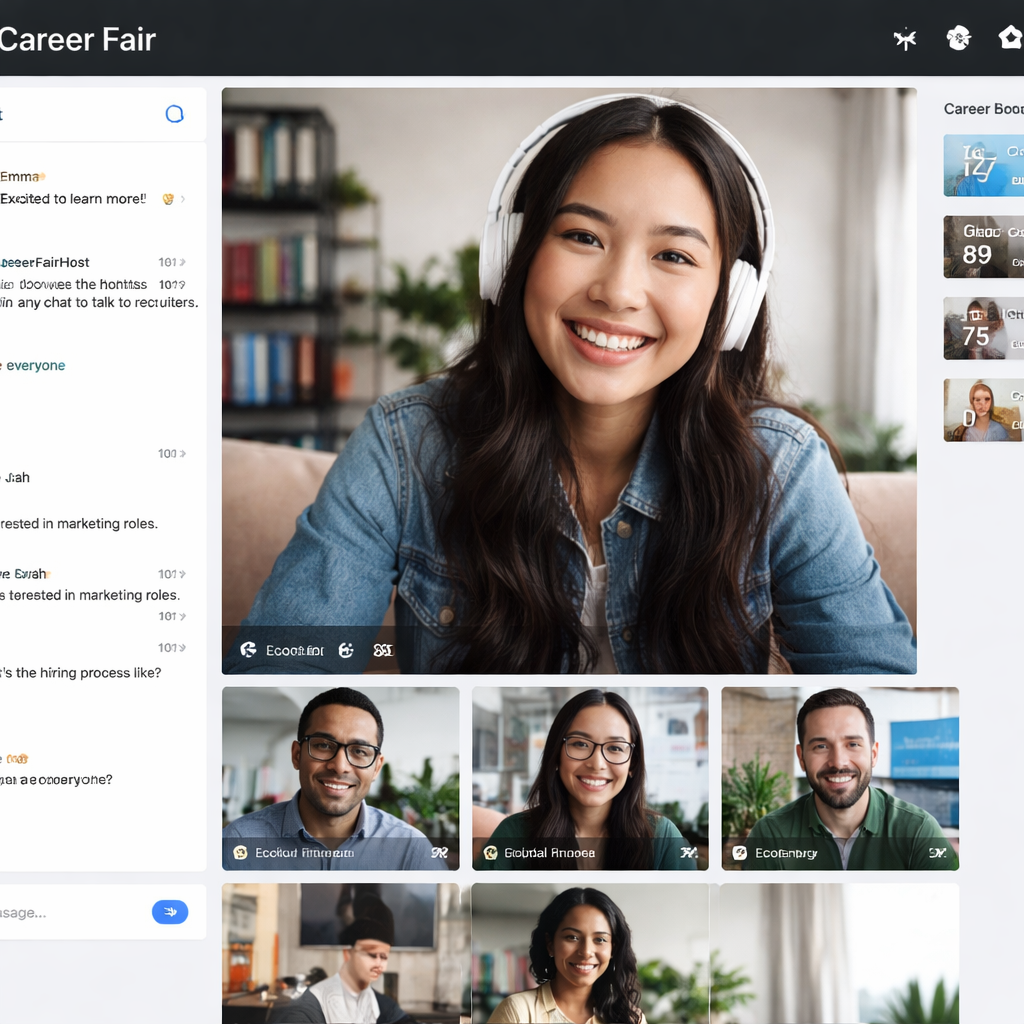
The fourth best ways to network at virtual career fairs happen live. You’ve done the prep, now act.
Log in early, the data says, letting folks in 15‑20 minutes early helps settle nerves.
When a chat opens, greet with your name and a smile. Then drop your quick‑pitch.
Ask the thoughtful question you prepared. It shows you did your homework and keeps the convo flowing.
Don’t just sit in silence. Use the chat box to comment on the speaker’s point or share a related experience. The research shows that only 31% of tips focus on live interaction, so you can stand out by being lively.
Pro tip: Keep a Post-it with prompts beside your screen. Write “Ask about recent product launch,” so you don’t forget.
Action checklist:
- Join 10 minutes early.
- Test the mic and camera again.
- Start each chat with name + pitch.
- Ask one prepared question.
- Take notes on the recruiter’s name and key points.
After each chat, send a brief “Great talking!” note in the chat window. It’s a tiny gesture that leaves a trace.
For more on live best practices, see Career Fair Plus live tips. It talks about keeping the process simple for both sides.
And a quick tip on asking questions comes from Handshake’s guide: Handshake’s question‑prep article. Use those examples to fine‑tune yours.
Need a visual reminder of a lively virtual booth? Check out the photo booth rental graduation party guide. The layout ideas can inspire your virtual background setup.
 Regenerate
Step 5: Follow‑Up and Nurture Connections
The final best ways to network at virtual career fairs happen after you log off. Follow‑up is where most people slip.
Send a thank‑you email within 12 hours. Keep it short, mention one detail from the chat, and restate your interest.
Example:
“Hi Alex, thanks for sharing the roadmap for the new AI product. I’m excited about the data‑analysis role you mentioned. Here’s my résumé for your review.”
Connect on LinkedIn right after. Add a personal note (“Great meeting you at the fair, looking forward to staying in touch”).
Why does this work? The research notes that post‑event tips only make up 22% of advice, yet they drive the highest response rates.
Use the platform’s analytics if available. See which recruiters opened your message and follow up again if they didn’t.
Action plan:
- Send a thank‑you email within 12 hours.
- Add a recruiter on LinkedIn with a note.
- Upload your résumé to the fair’s post‑event portal.
- Mark each contact in a spreadsheet with follow‑up dates.
For a broader view on post‑fair nurturing, the Endless Fairs article we linked earlier explains why a quick survey helps you improve.
Here’s a handy template you can copy for the thank‑you note:
Subject: Thanks for the chat at [Fair Name], [Your Name]
Body: Hi [Recruiter Name], I enjoyed learning about [specific topic]. I’m very interested in the [position] and would love to discuss further. Attached is my résumé. Best, [Your Name]
One more resource that talks about staying organized is the mirror photo booth rental tips. It shows how a simple checklist can keep things tidy.
If you run a small business and need a quick visual guide, the corporate event photo booth rental guide explains how a checklist boosts engagement; the same idea works for your follow‑up list.
FAQ
What should I put in my LinkedIn headline for a virtual career fair?
Keep it short and clear. State your role, a key skill, and a location if relevant. For example, “Software Engineer, Front‑End, Boston.” Recruiters skim headlines fast, so make yours instantly readable. Include a keyword like “virtual career fair” if you want to appear in searches.
How far in advance should I test my tech setup?
At least a day before, then a final check an hour before the fair starts. Test the ebcam, mic, internet speed, and the fair platform. A quick 5‑minute test run can catch glitches that would otherwise ruin your first impression.
Can I use the same elevator pitch for every recruiter?
Start with a core version, but tweak one line to match each company’s focus. If you’re talking to a data firm, highlight analytics; for a marketing firm, mention campaign work. Tailoring shows you listened to your research.
What’s a good follow‑up timeline after the fair?
Send a thank‑you email within 12 hours. Connect on LinkedIn within 24 hours. If you haven’t heard back in a week, send a brief check‑in. Staying top of mind without spamming is key.
How many questions should I prepare for each recruiter?
Aim for three solid questions. One about the role, one about team culture, and one about future projects. Having a small list avoids awkward silences and shows genuine interest.
Should I attend group sessions or one‑on‑one chats?
Both have value. Group sessions let you hear broader company info, while one‑on‑one chats let you dive deep into role specifics. Schedule at least one of each if you can, and prioritize the one‑on‑one for your top targets.
Is it worth sending a post‑fair survey?
Yes. A short survey (3‑5 questions) sent within 48 hours helps organizers improve and keeps you visible. Mention in your thank‑you note that you’ll share feedback; recruiters appreciate the extra effort.
Conclusion
We’ve walked through the best ways to network at virtual career fairs from start to finish. First, you built a sharp digital profile. Then you researched companies, crafted a quick pitch, engaged live, and followed up with a solid plan. Each step leans on the research that shows preparation beats luck. Use the checklists, tables, and examples we shared, and you’ll turn a virtual fair into real opportunities. Ready to try? Start polishing your LinkedIn today, and watch the connections grow. For more everyday advice, visit Practical Answers to Your Questions – About Young People. Good luck out there!